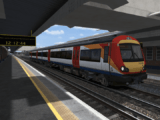
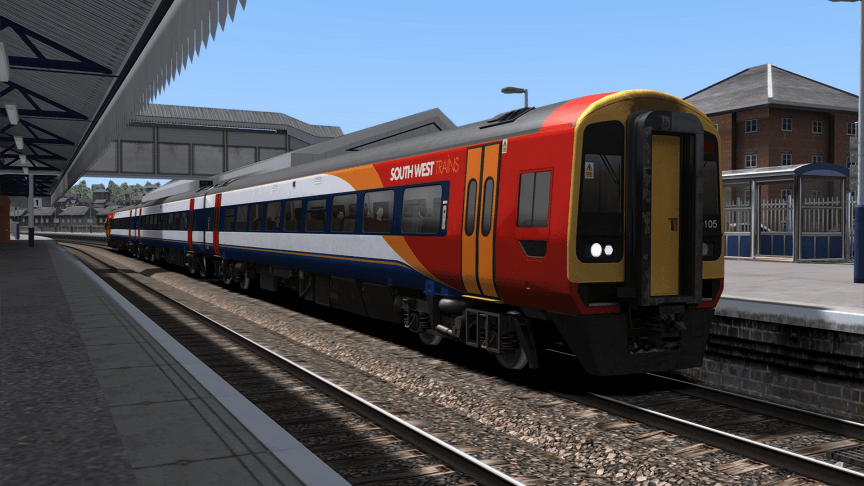
SWT 159101-106 Original livery
28th October 2019The first 6 out of 8 159/1s converted from former TPE 158/8s entered service with South West Trains in a revised livery, however this version with red doors was short lived as the final 2 159/1s appeared with all orange doors which was adopted by the 159/0s upon refurbishment before the original 6 had their doors repainted to match.
Requirements
DTG Network SouthEast Class 159 add-on
https://store.steampowered.com/app/222633/Train_Simulator_Network_SouthEast_Class_159_DMU_AddOn/
AND
Armstrong Powerhouse Class 158 (Cummins) Enhancement Pack
https://www.armstrongpowerhouse.com/index.php?route=product/product&path=36_91&product_id=189
Included
A gangway door reskin as these units had a perspex flyscreen which was viynled yellow at the bottom revealing the upper window. (Not present in download image as was taken prior to making it!)
3 QuickDrive files
3 car – Class 159/1 Original
6 car – Class 159/1 Original
6 car – 3 Car Class 159/1 Original leading 3 Car SWT1 Livery
Bat file installer included (highly recommeneded due to number of Geo files needing copying from different places)